
If you’d looking to create a brand new summer school website or something along the lines, you can do it without any coding skills whatsoever. It would make way more sense if you zero in on what you can do really well instead of dabbling in coding and things like that. But let’s set the record straight for us before we go any further. (more…)
Category: Web Design
-

Crypto Website Templates
Crypto website templates are something that you most definitely will need if you’ve decided to jump on the crypto bandwagon until it’s too late. Since you want to make sure that you get your crypto website off the ground as soon as possible, you really want to use a crypto website template – as opposed to creating your site from the ground up. (more…)
-
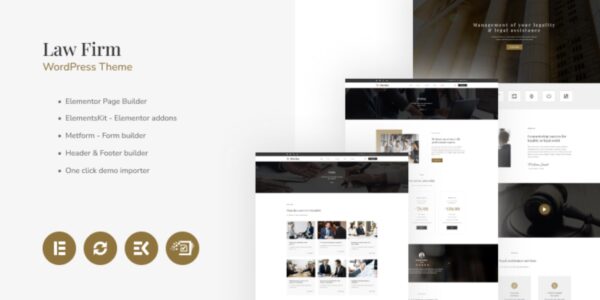
Law Firm Website Templates (WordPress)
Do you have a law firm? Would you like to revamp your current website or get a brand-new site off the ground before long? But you don’t really know how to go about that? Also, do you have no clue how all this web design and development thing works and where to actually start and get the ball rolling? (more…)
-
Baby Website Templates for WordPress
If you plan on launching a brand new store for kids, or some other type of baby-oriented online business, and especially if you plan on revamping your old site – you’ve got to check out the following baby website templates.
Most probably you are not a web designer yourself. So here’s a problem – you won’t be able to design a mind-blowing design yourself, no matter how much time you spend learning your Photoshop. And hiring a professional web designer to create a new site from scratch is quite expensive.
That said, you can take a look at Mothercare, which has both awesome products and amazing store design.
-

A Web Designer’s Guide for Selecting Website Background Images
Often at times, one of the most important aspects of a business’s website, the background, is neglected. Luckily enough, it’s easy to fix your site using a wide variety of things to clean it up. In this guide, we will be talking about how to choose the best website background images for websites to spice it up and make it more presentable.
How to Choose the Right Website Background Images
It’s important to choose the right image that will connect with your target audience. This image will help set the mood and communicate what you’re trying to sell. These types of images can be your product, location, staff, etc. Generally speaking, you want to choose large website background images that will leave a lasting impression on your audience. Which is why it’s so important to choose the right image. However, if you can’t decide on one image to show on your site, you can always go with a slideshow instead.
Solid Colors
Current graphic design trends for popular websites usually stick to a single color, usually white, for a cleaner, more modern appeal. However, you shouldn’t hesitate to make your site more colorful and vibrant, especially if it connects to what you’re selling. However, not everyone feels the same about multi-colors, so make sure you do plenty of research before implementing them into your site.
Patterns and Textures
If you’re planning on using a website background images, you shouldn’t tile it. Although some businesses see success in repeating the same small image in the background over and over again, it often looks busy and unappealing. Instead, you should set a large, single image as the background.
However, if you use tile a bright pattern in the background of your site and keep the number of colors you use to a minimum, you could end up tiling your site nicely. However, we suggest fooling around with a few pattern and textures as your site’s website backgrounds to see which best suits your needs.
If you’re looking for some premium textures and patterns, then this bundle of 500 backgrounds will help you find some extremely attractive designs across 36 different categories ranging from brick walls to galaxy. Apart from website backgrounds, these backgrounds can also be used as social media banners/cover photos, wallpapers, and be printed on merchandise, greeting cards, invitations, etc.
Video Backgrounds
Although finding the proper video to use in the background of your site can be challenging, it may work if you choose subtle motion. When you implement a good video to your site, you may even achieve a “wow” factor over your competition. However, make sure you do plenty of market research to see if it will work, you don’t want to lose clients over a distracting video in the background. You also should avoid choosing a video to place in the background that goes on too long or loops too quickly. This can make your site seem like an eyesore.
Searching for Images Online
If you want to compete in the digital marketplace, you need a website that stands out. Grainy, obscure or unattractive images are no longer acceptable. You need clean, good-looking images and correspond with your text. To do this, you’ll need access to either a good digital camera or a trove of non-copyrighted images that you can draw from. Not a photographer? Don’t worry; there are many great resources on the web that you can use to find professional quality images to use as the background of your website.
Check out UnSplash, and Pixabay for some great website background images. These websites are full of stock images that you can use legally without paying any fees or royalties. If you copy from the web, be aware that you might be snagging copyrighted images and you could get in trouble. It’s better to use directories of images that are high-resolution and copyright free. You can also get some premium stock photos bundle that can be used for commercial and personal projects.
Your images should be high resolution, but make sure they’re not so big that they weigh down your website. Your sweet spot is 795 × 300 pixels. Also, for the best results make sure you’re using JPEGS and not PNGs. Today’s consumers expect to see stunning visuals on websites so don’t disappoint them!
How to Optimize Your Website Background Images for Better Design and SEO
When it comes to optimizing their website for SEO, most people spend a lot of time working on meta descriptions and making sure their tags are in place. What many people don’t think too much about is their image SEO, which can really make or break how well your website does in Google Search rankings. Fortunately, image optimization can be accomplished in a few simple steps.
We’ll teach you how to optimize images for the web, so your website is perfectly search-engine optimized and as user-friendly as possible. In addition to choosing the right image, you should also ensure it meets the proper technical specifications. First, try to pick an image that is horizontally oriented, not vertically. This way, they will fit most computer and device screens which have a widescreen format.
You should also consider the size of the image, too. The majority of computer screens support a minimum resolution of 1024 by 748 pixels. This means that your website backgrounds should be that large at the least. Ideally, your image should be at least 1200 pixels wide. Another smaller than that may appear blurry or pixelated. This will make your website look unprofessional and thrown together.
When using a photo editing program on your computer, you will be able to see the pixel size of your chosen image. If you are not editing the image, you can view the size directly on your computer. On a PC, right click on the image file. Then select “properties” and then click the “summary” tab. If you have a Mac, you can right-click on the file of the image, then click “get info” and select “more info.”
Loading Speed Is Key
One of the best ways to optimize images is to pay attention to your loading speed. Search engines like Google and Bing will penalize websites for really slow loading speeds. The consumer experience is partially what Google and Bing use to determine search engine rankings.
Hence, it’s important that you pay close attention to your loading speeds. Don’t make the mistake of thinking that the bigger the image, the better it is. Huge images will make impatient potential customers leave your website immediately.
For optimal loading speed, keep your files at 120KB (kilobytes) or less. Check the properties (right click on the image) to see what its pixel size. Make sure it’s under 1000 pixels for the best loading speed.
Fill Out Every Field For The Best SEO
In order to learn how to optimize images for web, you need to understand the basics of SEO. Search engines will crawl information that your end-user doesn’t see, like Alternative Tags and Image Captions. This helps to understand the purpose of an image and how it fits in with the overall web content.
Many people put up images on their websites without adequately or accurately filling out all of the information that speaks to search engines. Don’t make this mistake. Part of image optimization is filling out all information on the “back end”.
When naming your images, don’t use something generic like “image one”. Give it some thought. Believe it or not, images names are crawled by search engines and used in SEO rankings. While doing your best to optimize images will certainly help your SEO, you want to be careful of keyword stuffing. For example; if you had an image of an apple you would name it “Red Apple”, not “Apple Apple Apple”.
Keyword stuffing is widely discouraged by Google and Bing and might even get you shoved down in the rankings, or in the worst case scenarios, banned. Keyword stuffing is considered Black or Grey Hat SEO and is a way to manipulate the search engines into thinking that your image or content is more relevant than it actually is.
In addition to filling out everything on the back end as comprehensively as possible, you’ll want to make sure that your image corresponds to the page that it appears on. So, using our image of an apple as an example, you’ll want to put in on a page with a farmer’s market or perhaps a story about healthy eating. This way, the text echoes and reinforces the SEO of the image and vice versa.
Conclusion
There is more competition than ever before in the digital space. With every company having a website, and an attractive online presence, you need to make sure your SEO is on point. Having attractive images that load automatically is the first step in attracting your customers. Making sure all of the back end text, like captions and alternative text is filled in appropriately is critical to making your images Google and Bing search engine friendly. Lastly, naming your image something that corresponds logically with what it is, will help the search engines find it. With a few steps, great SEO is easy!
-

Give Your Digital Marketing A More Creative & Unique Touch
Running your own business from home has many perks. One of the best is that you can do most of what you need to without ever leaving your home, and you can usually do it as well as anyone else. A major part of starting out as a mompreneur is in ensuring that you get the marketing right, in particular, the digital marketing. (more…)
-
What’s the Best Source of Free WordPress Themes?
As a rule of thumb, people turn to the WordPress.org directory for free WordPress themes. That’s understandable because that’s the official place where all sorts of WordPress themes are up for grabs. Now, it is really the best source of free WordPress themes or we are just led to believe so? (more…)
-
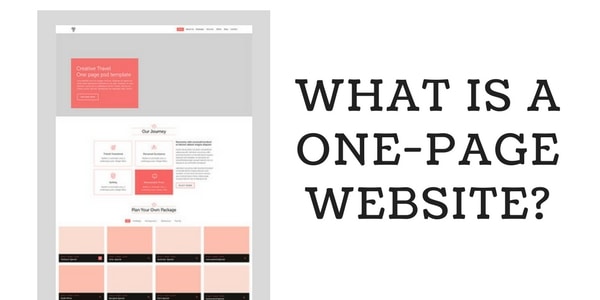
What is a One-Page Website?
Single page websites have grown in popularity over the past few years. More and more companies prefer them to the popular elaborate multi-page websites for their businesses. (more…)
-

Cannabis website design templates
No matter what you do in the “new” weed industry, selling cheap weed or something else, you have the option to choose from a wide variety of relevant website templates. That means that it’s really easy to get started with your new weed business. Take a look at the hand-picked cannabis-related web designs for your brand new (or the one you’re revamping) weed online store.
Weefly | Medical Cannabis & Marijuana WordPress Theme

The website template comes with tons of built-in features that you can use right off the bat. It’s compatible with WooCommerce. You’ll have the ability to effortlessly use a slider out of the box. Also, you’ll be able to seamlessly integrate the template with your Mailchimp account, which makes it possible to collect your leads and turn them into buying weed clients going forward.
Other than that, you can use the Weefly website template with any language because it has WPML support by default. Plus your site visitors will have the option to conveniently get in touch with you with the help of the built-in Contact Form 7. On top of that, the template comes with Visual Composer on board, which means you’ll be able to customize the design of your site to meet your needs.
Budly – Cannabis Shop WordPress Theme

As you can see, it’s a totally awesome design, which comes with a lot of handy features that you’d expect from a high-quality website template. You’ll be able to easily customize your site because the template comes with the WP Bakery Drag and Drop page builder. That means you’ll be able to edit just about anything without any web coding skills whatsoever.
Want to use your own language instead of the default English option? No problem! The template is translation-ready, which means you can translate any part of it into your native language. Plus lifetime free updates will make sure that your weed website design is brand-new and has the latest and greatest features at all times.
Taskereasy Cannabis Multipurpose WordPress Theme
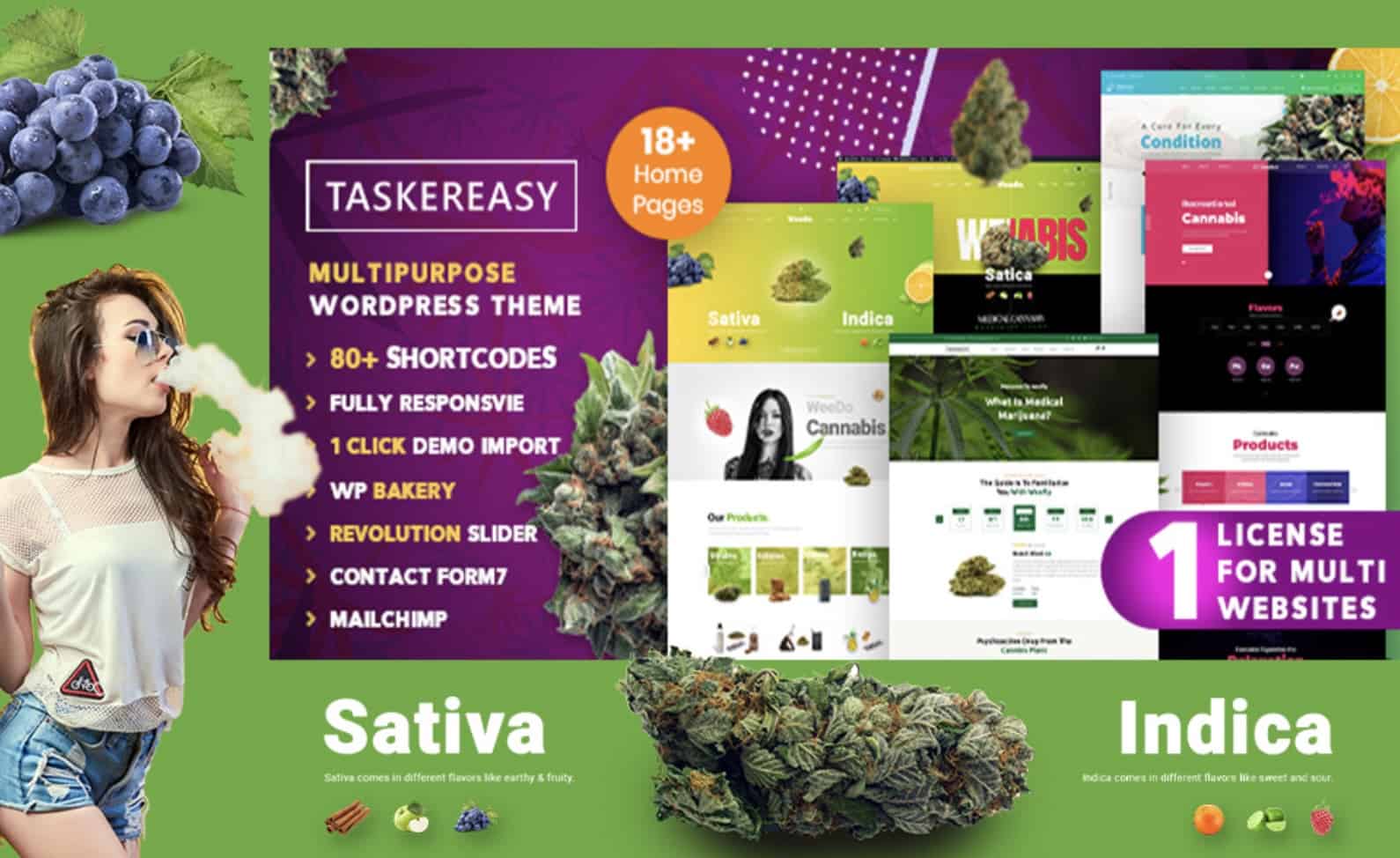
I’d like to bring it up to your attention that this website template looks really gorgeous and attractive to your target audience. It’s real eye candy for weed-lovers when it comes to its looks. Other than that, the website design template has all the default features you’d need in an online store, such as WooCommerce compatibility, Mailchimp support, Visual Composer and the list goes on and on.
-

Trading Binary Options
Trading binary options is a hot topic at the moment. This intriguing trading style has sparked a lot of interest since the potential is there to make a lot of cash. Plus unlike trading in the regular stock market, binary options are suitable for beginners as they are less complicated and expensive to get started in. You can trade Forex, indices, commodities (including gold and corn) as well as stocks and shares in companies. In fact, over forty-five of the world’s biggest companies have stocks that you can trade as binary options. But as with any form of trading, there are some risks involved. Here’s how you can minimize them, and stay as safe as possible.
-
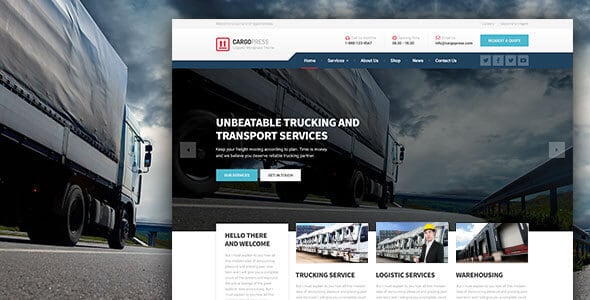
WordPress Themes for Trucking Companies
This post offers you a hand-picked collection of WordPress themes for trucking companies. The design that you use for your website should be of the same top-notch quality as your business. Whether you’re a webmaster or a business owner who would like to advertise logistics services, car rent or truck driving jobs, your website design is a good thing to start with. (more…)
-

The Dummies’ Guide to Golf Website Designs
In the modern world, promoting business online is one of the essential things. You cannot imagine selling services without making your name sound on the Internet. If not a website, how else people will get to know about you? Golf is thought to be one of luxurious sport types and when you tell people about your club online, your golf website design should be smooth and outstanding. Golf is an elegant kind of sport, therefore you want your golf website designs to be clean and neat, yet fancy and applying to the page visitor’s attention. (more…)
-
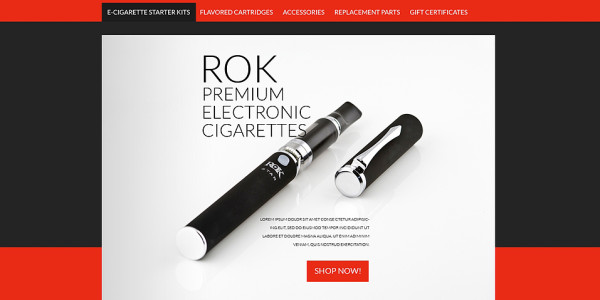
Website Designs for Vaping Stores
Vaping is a mainstream these days. E-cigarettes is a great alternative to regular cigarettes and they are getting more and more popular among people who try to quit smoking in the easiest way. So why not to start a profitable business out of it (such as vaping stores?) helping people who are still missing an opportunity to change their lives by trying the most convenient way of getting rid of a bad habit.
Start an electronic cigarettes store to motivate the engrained smokers to turn to the healthy lifestyle, which proved to be the most popular modern trend nowadays, by switching to eCigs with an ease and style. Choose a website template for your brand new professional Vaping and eCigs store website today to make your business grow. Consider the designs below which had been handpicked for you to help you to create a top quality online store in almost no time.
Vape Store WordPress Theme
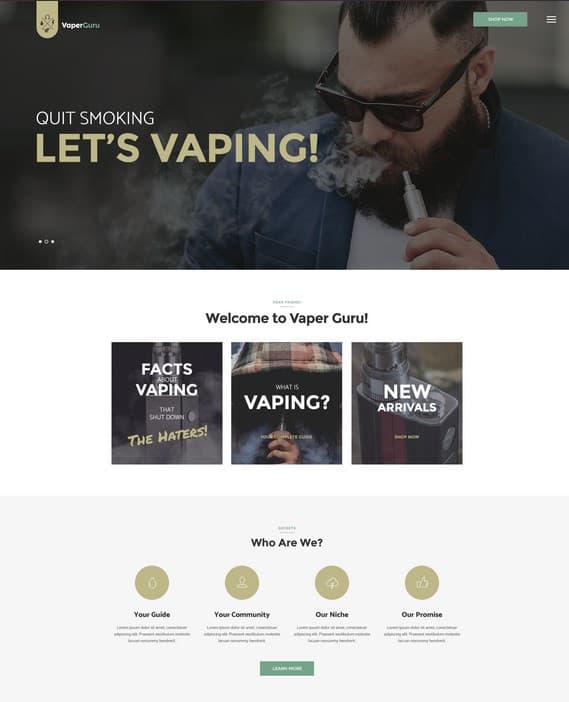
Just look at this ultra-modern, stylish and neat VaperGuru WordPress theme created for Vapers Community and sophisticated eSigs devotees! Its exquisite and elegant design perfectly fits the E-cigarettes, E-liquid and Vaper accessories selling store. A cute fullwidth slider with an eye-catching effect captures customers’ attention at very first sight. The Revolution slider plugin, used for creating this slider, has a great range of other different effects, animations, transitions etc, all of which are aimed to create the fabulous initial impression of your site.
Lots of mostly grey-hued, accentuated banners, along with the trendy menu box design, are meant to draw the customers’ eye to the most important sections on your site. The sombre colors of the theme, its dimmed tones and primarily black and white font color-scheme create an atmosphere of smokiness, fogginess making the design delicate, vaper-oriented and unique at the same time.
The modern catchy design of the theme is intelligently united with a wide range of up to date features to help your business grow. The theme is fully compatible with the latest version of WooCommerce, Revolution Slider, Visual Composer, Essential Grid plugins and is totally responsive and Retina Ready which makes it look decent on any device and in any resolution.
The user-friendly WordPress admin panel will make you nothing but enjoy the editing process. You can select among several homepage layouts to find the one which fits your needs and with the help of a wide range of different shortcodes included, you can create as many other attractive layouts for your site as you need.
The theme is SEO-optimized, localized with .po and .mo translation files included and WMPL Plugin compatible. Besides you get an extensive documentation and free updates with the theme. As you see, this template has a topnotch layout, high functionality and is just definitely created for reaching success!
Vaping Supplies VirtueMart Template
Another example of a great eSigs store theme is eCigs Vaping Supplies VirtueMart Template.
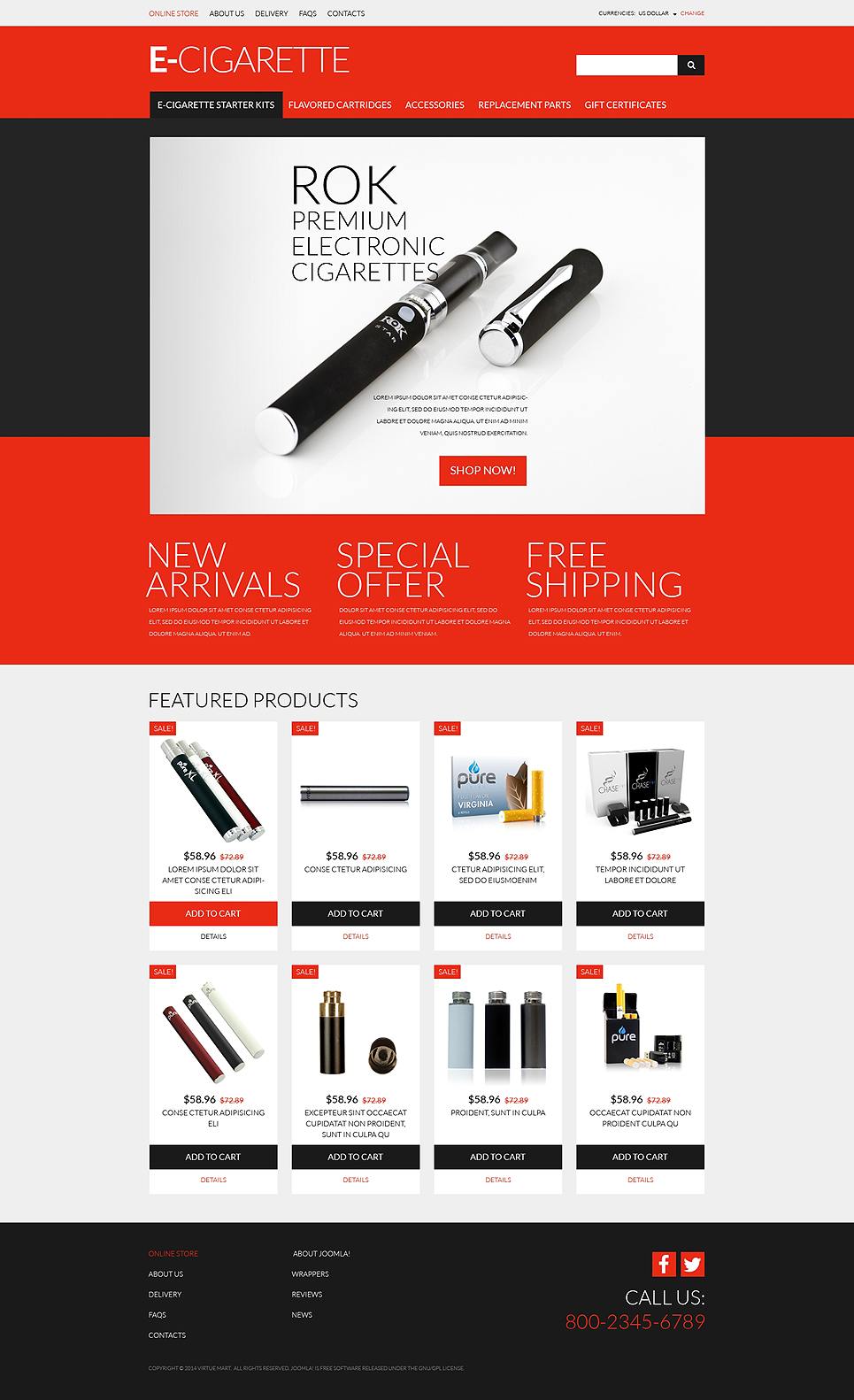
The header, menu and key banners of the theme are delicately highlighted with bright coral color which makes this theme look subtly colored, high-tony and extremely fashionable. The design is quite laconic and the emphasis is instantly put on the products and product categories, so there is nothing to distract or keep the customer away from what he or she is looking for on the site. Minimal, clean and cleverly organized layout will make a client come up with the right product intuitively with no difficulties, right in a click, while navigating through your site. The homepage is decorated with an attractive and showy, classy slider.
The social icons to share the website and the contact information, which is of strategic importance for each store, are detached and perfectly outlined in the footer banner due to the usage of large fonts. The wonderful categories layout, effective navigation, the large, accurate fonts, the play of colors… This is what makes this theme design stand out among others and fit even the most sophisticated taste!
Pay attention to the awesome, high-quality images you see on the site. The great news is that you will get up to 15 high-resolution stock photos and images for free for a life-time usage with this theme! The theme is well-documented, SEO-friendly, cross-browser compatible.
It is a skin for the most powerful and high-functional Virtuemart Engine which admin panel interface is also intuitive, friendly and easy to use. It allows you to manage your content, modules, products, categories, payment options easily with no need of being a web designer to do this. Besides, you get a 24/7 highly-qualified and free technical support assistance along with the theme for the life-time, without any expiration date. Just imagine that!
Bottom Line
So as you can see, creating professional, high-quality, robust vaping stores nowadays is quite easy, even if you have zero web design skills. The only thing you need is to master the most user-friendly and self-explanatory admin panel each store is equipped with in order to replace the default text and images with your own.
Imagine how much powerful and multi-functional websites you can create with an intuitive backend which allows creating as many layouts as you need and the brightest, modern and stylish frontend layout. Do not miss an opportunity, get into the game right now! There is not a moment to lose!
What’s your take on the most important feature/page in vaping stores?
-
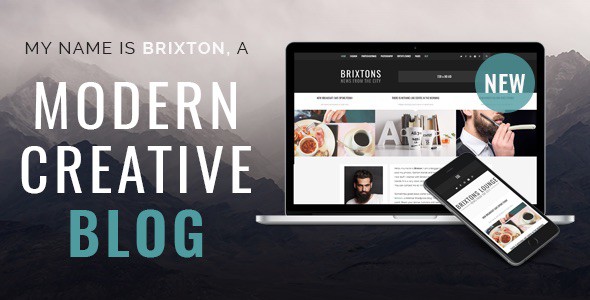
Brixton Theme Review (Modern Creative Blog)
In this Brixton theme review, you will get helpful information about the Brixton theme, its installation process, design features, and everything else this theme has to offer. Brixton has pre-designed demo content which aids in better understanding the features and options available. So without further delay, let’s get started.
-

Fashion Blog Theme – Untold Stories
In this post, you’ll get to know how to install and use the premium blogging WordPress theme called Fashion Blog Theme – Untold Stories. You’ll be able to install the theme, configure all kinds of settings the theme has to offer and make it look and work exactly as on the demo page. (more…)