Category: Wordpress Plugins

  • Top WordPress Email Marketing Plugins in 2019

    Top WordPress Email Marketing Plugins in 2019

    Email is one of the most powerful marketing tools at your disposal and WordPress email marketing is crucial for the same reason. That holds true whether you’re running a blog, are a small business owner or an entrepreneur looking to build an audience.

    Opt-in email marketing allows you to directly connect with consumers who want to see your content, without the visibility issues of Facebook and other social media sites.
    (more…)
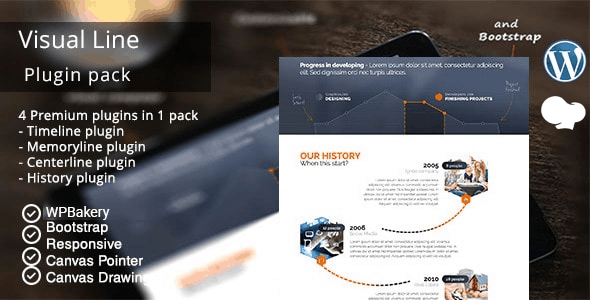
  • Visual Line WPBakery Timeline Addons Pack (review with video)

    Visual Line WPBakery Timeline Addons Pack (review with video)

    You will get to know about Visual Line WPBakery Timeline Addons Pack. You’ll learn about its installation process, features, and options this add-on has to offer to make your page look more elegant and professional. Visual Line is an add-on so it is required to have a pre-installed WPBakery plugin in order to use the add-on properly. So without further delay, let’s get started. (more…)

  • Cache Enabler Plugin

    Cache Enabler Plugin

    In this post, you’ll get to know about a lightweight caching plugin for WordPress that makes your website faster by generating static HTML files plus WebP support. The WordPress plugin I’m talking about is called Cache Enabler – WordPress Cache. Since the plugin makes your site load faster, your site – among other things – is more likely to perform better in terms of ranking for your target keywords because page load time is an official ranking factor confirmed by Google.
    (more…)

  • Adding a Job Board to Your Website or Blog – What are the Tools Needed?

    Adding a Job Board to Your Website or Blog – What are the Tools Needed?

    Adding a job board to your website or blog is an effective way of offering something useful to the visitors and readers and it is also a good way of making money at the same time. It is especially on niche blogs that job boards work well, for instance a blog that is dedicated to nursing could offer featured jobs related to the medical field or a site about a specific place could offer multiple job opportunities based on a particular location. (more…)

  • How to Easily Create a Real Estate Site with the VicTheme Property plugin

    How to Easily Create a Real Estate Site with the VicTheme Property plugin

    If you need to create a real estate site, but you just know your way around WordPress, you most definitely need to use the VicTheme Property plugin. It allows you to effortlessly and quickly add all the features that your site needs as a real estate platform. In a nutshell, the VicTheme Property plugin adds all the missing features to WordPress and makes your site a full-fledged real estate one-stop site. (more…)

  • How to Easily Add a Sticky Footer

    How to Easily Add a Sticky Footer

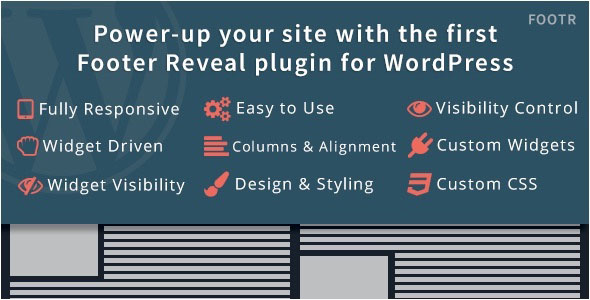
    In this post, you’ll get to know about the benefits of the Footr plugin for WordPress. This responsive plugin allows you to create a sticky footer that neatly appears once the visitor scrolls down to the very bottom of your site. By the way, it’s the first and only available footer reveal plugin for WordPress, which really sets it apart. (more…)

  • Protecting Your Site from a DoS Attack

    Protecting Your Site from a DoS Attack


    Online businesses put hours of hard work into maintaining websites. Building an e-commerce site is a significant undertaking that needs protection against hackers. A Denial of Service, or DoS, attack can cripple an e-commerce website, causing revenue losses that a small business may not be able to absorb. A DoS attack occurs when hackers flood a website with a plethora of requests, often through the use of a botnet, or network of malware-infected computers. Overwhelmed by the massive amount of incoming traffic, the website grinds to a halt, making it impossible to access. A Denial of Service attack can bring a website down for a week or longer.

    (more…)

  • Popular Related Posts WordPress Plugins

    WordPress Plugins

    This is a guest post by Lance Goodman.
    Most webmasters admit that plugins play a crucial role in enhancing the appearance of a web page. They also state that they were able to save the time that was previously used for manually writing codes. So, this post is about the most popular related posts WordPress plugins. As one of the most-used blogging platforms and content management systems on the Web, WordPress is heralded world over for its open source codes and assortment of themes and plugins. Holding close to 54% of the global content management system market, WordPress is critically (more…)

  • WordPress ebook about Must Have WordPress Plugins

    WordPress Plugins

    It’s a big day today. I’m thrilled to present our WordPress ebook about Must Have WordPress Plugins. Apart from the ebook itself, there’s a bonus included. So, everybody who downloads this ebook will be able to take advantage of that FREE stuff. 🙂 The book is about the WordPress plugins, using which will help you to get your site up and properly running in close to no time. They are absolutely crucial for any blog powered by WordPress. And the bonus will help you to get to the next level… (more…)

  • Must Have WordPress Plugins (WP Mobile Detector, Yet Another Related Posts Plugin)

    WordPress plugins

    Today, you’ll finally get the final episode of the Must Have WordPress pluigins series. You’ll learn how to install WordPress plugins via FTP and cPanel. Also, you’ll learn how to install the Yet Another Related Posts Plugin and the WP Mobile Detector one. Since all the mobile stuff is really getting momentum, I’ll start right from that. Rest assured that it’ll be to the point and you’ll not waste your time here. (more…)

  • Must Have WordPress Plugins (Widget Logic, WordPress Editorial Calendar, WordPress SEO)

    WordPress plugins

    This week another dose of my super cool must have WordPress plugins stuff. In this episode (damn, it sounds like I’m talking about Star Wars or something :)) I’m gonna talk about Widget Logic, WordPress Editorial Calendar, and WordPress SEO by Yoast. Unfortunately, I’m not going to touch on topics like Princess Leia, but those plugins are pretty hot things as well. They’ll help to simplify your life as a WordPress site administrator. (more…)

  • Must Have WordPress Plugins (WP-Syntax, Tweet Old Post, Upcoming Posts)

    WordPress plugins

    In this episode of the Must Have WordPress Plugins series, I offer you to check out the WP-Syntax, Tweet Old Post, and Upcoming Posts WordPress plugins. They’ll allow you to embed code in a user-friendly way (WP-Syntax), bring your old posts to life via Twitter (Tweet Old Post), and keep your site visitors coming back to your blog over and over (Upcoming Posts). You can also watch my videos about the plugins. Though they may be not exactly that type of videos you like watching when alone 🙂 (more…)

  • Must Have WordPress Plugins (MailChimp, The Social Links, Subscribe2)

    WordPress plugins

    OK, have you been having pains lately? Well, fear no more! I’ve brought another dose of my must have WordPress plugins. It’s gonna make you feel better. In this episode I’ll cover the following plugins and widgets: MailChimp Widget (outlet to robust newsletter options), The Social Links (social media), and Subscribe2 (keeping your subscribers posted). So, turn on your favorite music and keep on reading! (more…)

  • Must Have WordPress Plugins (GetSocial, Google XML Sitemaps, Jetpack)

    WordPress plugins

    That’s insane, man! So, I met that chick the other day and … oh… . I thought I was still chatting with my buddy. Sorry about that. So, you wanted more about must have WordPress plugins? Here we go. In my previous post I tackled Akismet, Contact Form 7 and Disqus Comment System. This time around it’s gonna be even cooler. Meet GetSocial, Google XML Sitemaps, and Jetpack. (more…)

  • Must Have WordPress Plugins (Akismet, Contact Form 7, Disqus)

    WordPress plugins

    Why you need must have WordPress plugins? OK, you’ve installed WordPress. Now what? Is that what you’re asking yourself? Well, don’t worry too much. Everybody who installed the WordPress engine for the first time was a bit surprised that to add all those really cool and amazing functionality bells and whistles, (more…)

Sitemap