E-commerce has opened plenty of new opportunities for thousands of entrepreneurs today. Over the last few years, the e-commerce market has witnessed significant growth as more and more consumers prefer online shopping.
Category: Wordpress
-

Parallax Scrolling in an Easy Way
If you want to add a parallax scrolling effect to your WordPress background in an easy way, search no more. I’m going to show you how to do that without messing around with any code whatsoever. You’ll have to just copy and paste in order to implement it. That’s about it. Let me point out one aspect of the post in the first place. Even if you don’t need to add this functionality to your site now, I strongly recommend bookmarking it because chances are that you’ll need to do it (use the effect) down the road because the technique is gaining popularity. One day you may have a customer who says, “Dude, I want that parallax thing in my site’s background. And I need it asap. (more…)
-
Why Your Website Must Only Have One Superpower
This is a guest post by Swati Gole.
Most web designers make the mistake of overdoing it. You set out to create a superhero website and then you burden it with heavy capes and tons of different superpowers. The essence of creating a stunning killer website lies in its simplicity. Overdoing the design and functionality might work against it. If one superpower suffices, don’t turn it into Batman, Spiderman, Wolverine, and Deadpool all in one. (more…)
-

The Only WordPress Checklist You Will Ever Need!
This is a guest post by Nirav Dave.
I am sure you’ll agree when I say that WordPress is the best CMS around today. It is free, easy to use, fully customizable, and gives excellent results at the end.Which is probably why WordPress powers more than 20% of all the world’s websites on the internet today! (more…)
-

How to Run a WordPress Blog from Your iPhone (early bird)
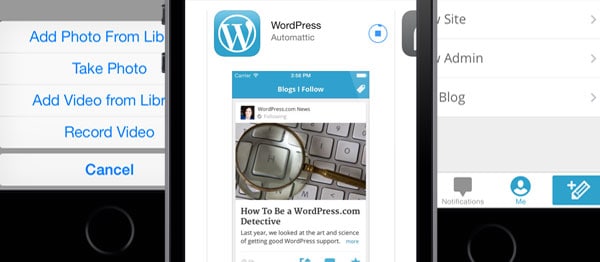
Would you like to get to know how to run your WordPress blog right from your iPhone? If that’s the case, I got pretty good news for you. Thing is, I’m currently working on a brand new video course entitled How to Run a WordPress Blog from Your iPhone. The course will address pretty much everything you need to know to be able to use the WordPress iPhone app to its fullest. If that’s something you’re interested in, here’s how you can get an early bird 50% off promo code. (more…)
-

How to Add a Neat Table in WordPress
Do you sometimes need to use a table in WordPress but it’s too tedious, daunting and just useless to create one with plain HTML? You know that messing with HTML is really time consuming and your own custom table won’t look that good anyway? This post offers you a super easy step-by-step tutorial and a video that explain how to create a neat table in WordPress the hassle-free way. (more…)
-

WordPress App for iPhone
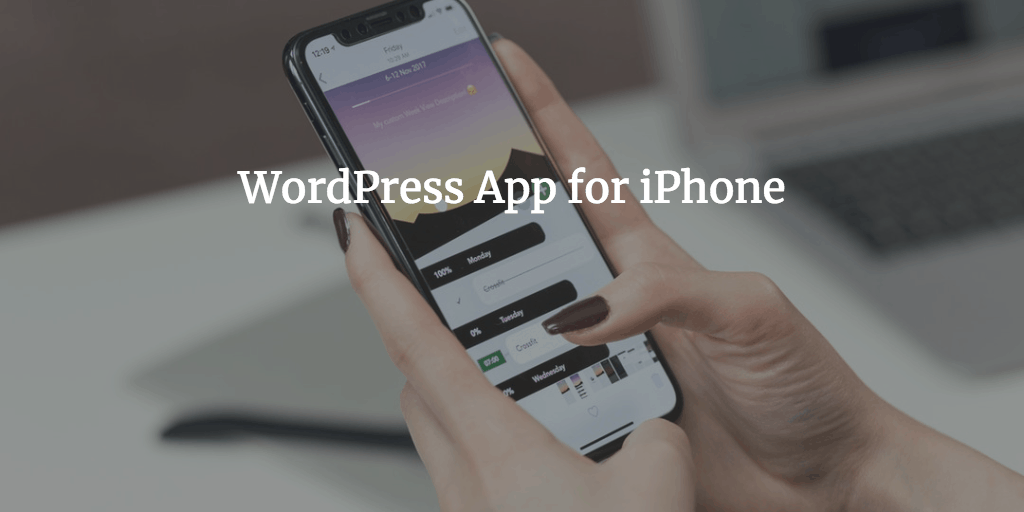
This article will walk you through the process of installing and using the WordPress app for iPhone 5s or any other version. You’ll be able to handle both WordPress.com and stand-alone WordPress blogs. With that in mind, you can use your iPhone to update or create brand new blog posts any time you feel like doing so. That means you will be able to make use of every free minute you get now and then. For example, waiting for clients or your date 🙂 The benefit is pretty obvious because you’ll never waste a single minute. You’ll be able to both feel and actually be productive when it comes to blogging on the go. (more…)
-
How to Restore WordPress with the Help of BackWPup
In the previous post entitled WordPress Backup Made Easy, you learned how to make WordPress backups. As you remember, you can use a few methods, but using a WordPress plugin seems to be the most simple one. You got to know (if not, better check it now) how to do the trick with BackWPup. So, you have your backup. Now you probably want to see how your backups can mean the world to you. Say, something really sucky happened and you lost both your files on the server (images, etc) and the database got ruined. But remember you made backups on a regular basis? So, you can fix the issue before you know it. Let’s see how. (more…)
-
WordPress Backup Made Easy
WordPress backup is of topmost importance even if you have no idea about it. Here’s why. You can lose all you’ve done with your blog any minute now. Thing is, you may be so gung-ho about the whole blogging thing that you’re under the impression that everything that you added to your WordPress is cut in stone and will stay intact for good whatever happens. Problem is,
-
How to Remove Date in WordPress
Got a hunch that the date of your post can turn away people from your totally amazing content that you created back in the day? You’re goddamn right! That’s why you need to remove date both from your WordPress posts and pages. This post tackles two ways of removing date from your WordPress content. One is for those folks who like to wrap their heads around all sorts of coding stuff. The other is for those of you who’d rather use a WordPress plugin that just does the trick. Fasten your belts and let’s get the party started! (more…)
-
How to Make a Magazine Online in No Time

Really obsessed with the idea to create an online magazine, but you’re not exactly sure how to go about doing that? This post is just about that. You’ll learn what features you definitely need for your online magazine design so that it looks and works as your readers expect. What’s more, I’ll review a sample WordPress design that we’ll have all the features that you’ll find mentioned in the post. As a matter of fact, there are two ways to go about it. You can either just use a specific online magazine platform that allows you to get your site off the ground really fast or actually use WordPress. Both options have both cons and pros… (more…)
-
How to Select a Hosting Company
Hosting company is a vital aspect for your website. Once the day has come and you decided to do it like the big guys, you need to choose a hosting company that allows you to focus on creating high-quality content but not on keeping an eye on how your hosting company does its job. You want your hosting company to be reliable and as stable as possible. Sure thing, I’d like you to read the full post I’ve put together for you, but if you want to run a WordPress site and you need a quick solution, which is nonetheless reliable as well, you can just go for BlueHost.com because that’s the hosting company that WordPress recommends on their site. (more…)
-
Best WordPress Plugins and a Bit of History
This is a guest post by Teyona Dame.
While there are numerous technology companies that generate millions of dollars by licensing proprietary software, there are only a handful of organizations that focus on developing free open source software. Among others, Richard Stallman and Linus Torvalds pioneered the concept of Free Open Source Software (FOSS) development. They believed in the freedom of choosing between proprietary software packages and free software. Another such modern open source pioneer is Matt Mullenweg, who is the founder of the openhearted WordPress Foundation. (more…) -
How to Create Simplistic WordPress Themes
If you’re new to WordPress (WordPress development virgin as some say) and you consider the job of a WordPress developer, you may have the question about how exactly WordPress themes work and how they are structured. In other words, you just want to get a general idea about the whole shebang. Does that sound like you? Keep on reading in that case. And one more thing actually. This post is not about how to build simplistic WordPress themes from top to bottom. The aim of the post is just to give you a general idea so that you know what you’re doing and learn more later.
(more…) -
SEO WordPress tips inspired by a video
The other day I decided to check back with WordPress TV and see what cool stuff they’ve got there. And I did that quite in the nick of time because there was a really useful video (SEO WordPress one) on the homepage of WordPress TV. The video is called “Ira Pasternack, Milan Cole, & Sara Tetreault: SEO Discussion”. I really liked the video and ran the risk of re-publishing on my blog because it is so congenial to the mission that WebDesy.com is trying to complete, which is to education in terms of using WordPress and SEO. Just like the guys in the video say, if you decided to run your site on WordPress you’ve alredy made a very good decision for your site’s SEO. 🙂 (more…)