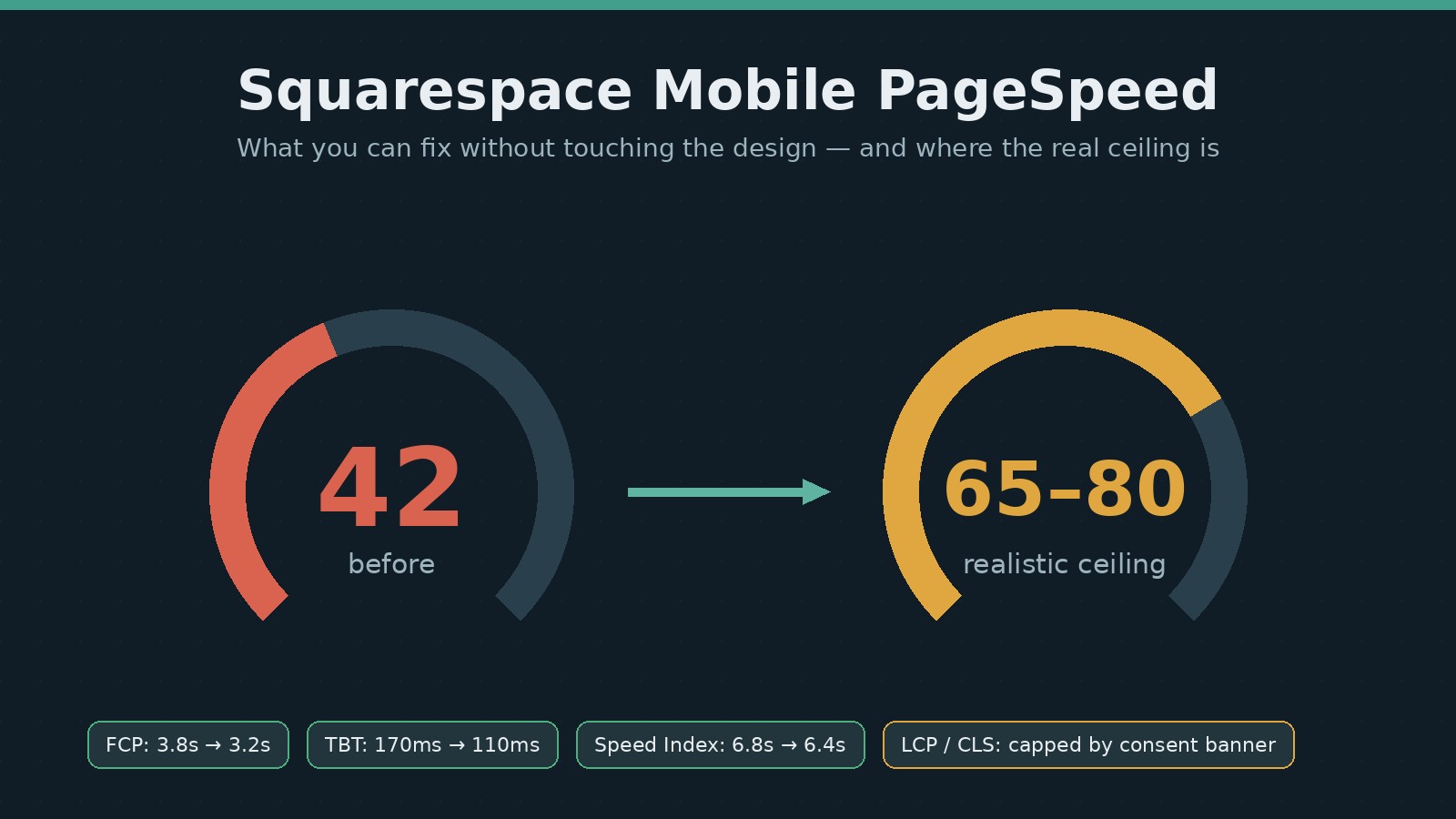
A B2B consulting site on Squarespace came to us with a familiar ask: Google PageSpeed Insights showed a mobile score of 42, and they wanted 90+. Here is the honest version of what happened — the diagnosis, the fixes that worked, the one that didn’t, and the point where Squarespace page speed stops being a tuning problem and becomes a platform decision. If you are chasing the same number, read this before you pay anyone who promises it.
I did all of this without touching the design. That constraint matters, because most page speed advice quietly assumes you can redesign, strip features, or re-platform. This is what you can actually do when you cannot.
The starting point: what a 42 actually looked like
The lab numbers from PageSpeed Insights on mobile:
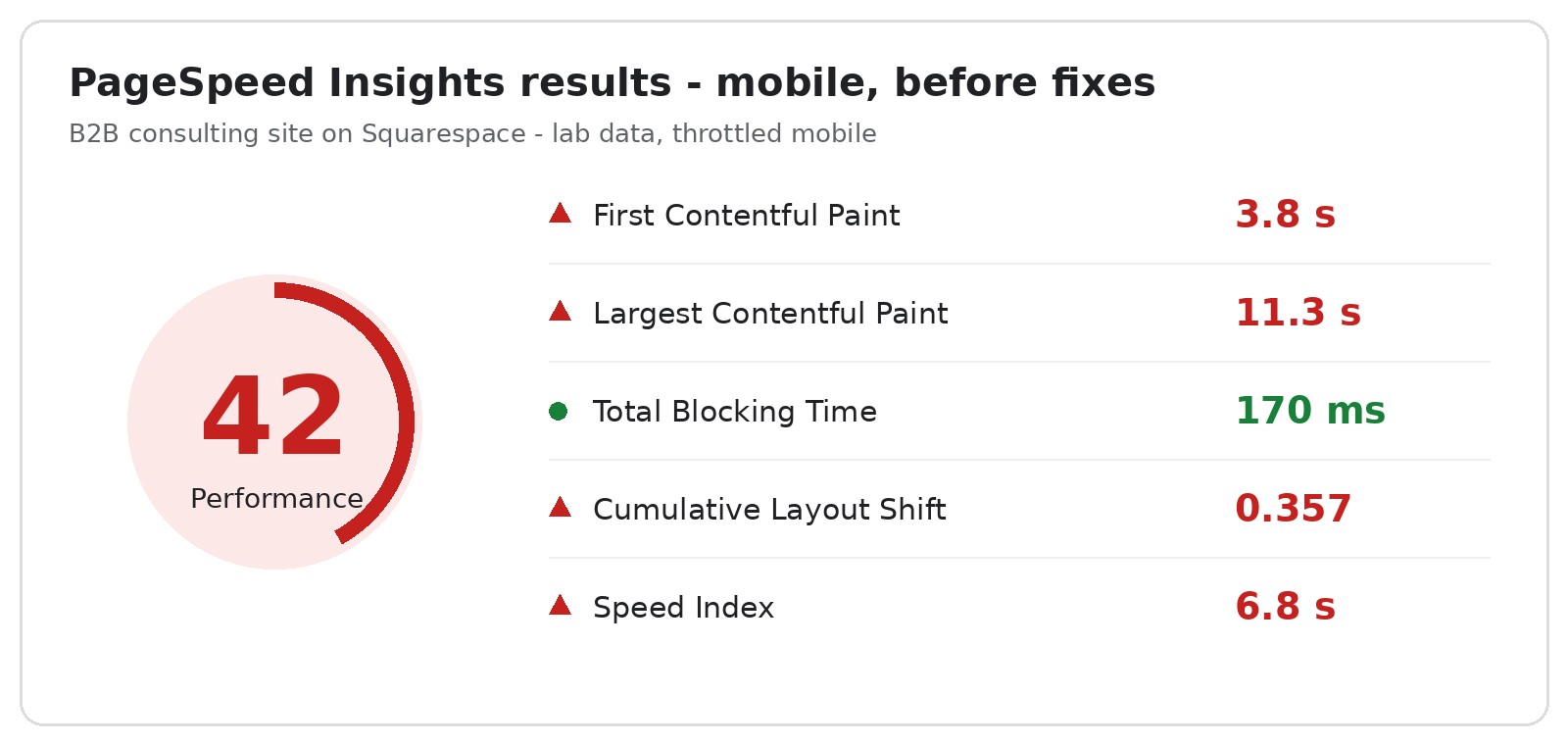
| Metric | Before | After invisible fixes |
|---|---|---|
| Performance score (mobile) | 42 | 45 (lab) — see why below |
| First Contentful Paint | 3.8 s | 3.2 s |
| Largest Contentful Paint | 11.3 s | 11.1 s (consent dialog — the ceiling) |
| Total Blocking Time | 170 ms | 110 ms |
| Cumulative Layout Shift | 0.357 | 0.357 (consent dialog — the ceiling) |
| Speed Index | 6.8 s | 6.4 s |
One number deserves immediate context: the page’s 537 KB of raw HTML sounded alarming, but it shipped at just 61 KB over the wire thanks to compression. Lesson one of Squarespace page speed: check what actually crosses the network before optimizing what does not.
The diagnosis: read the Lighthouse data, not the score
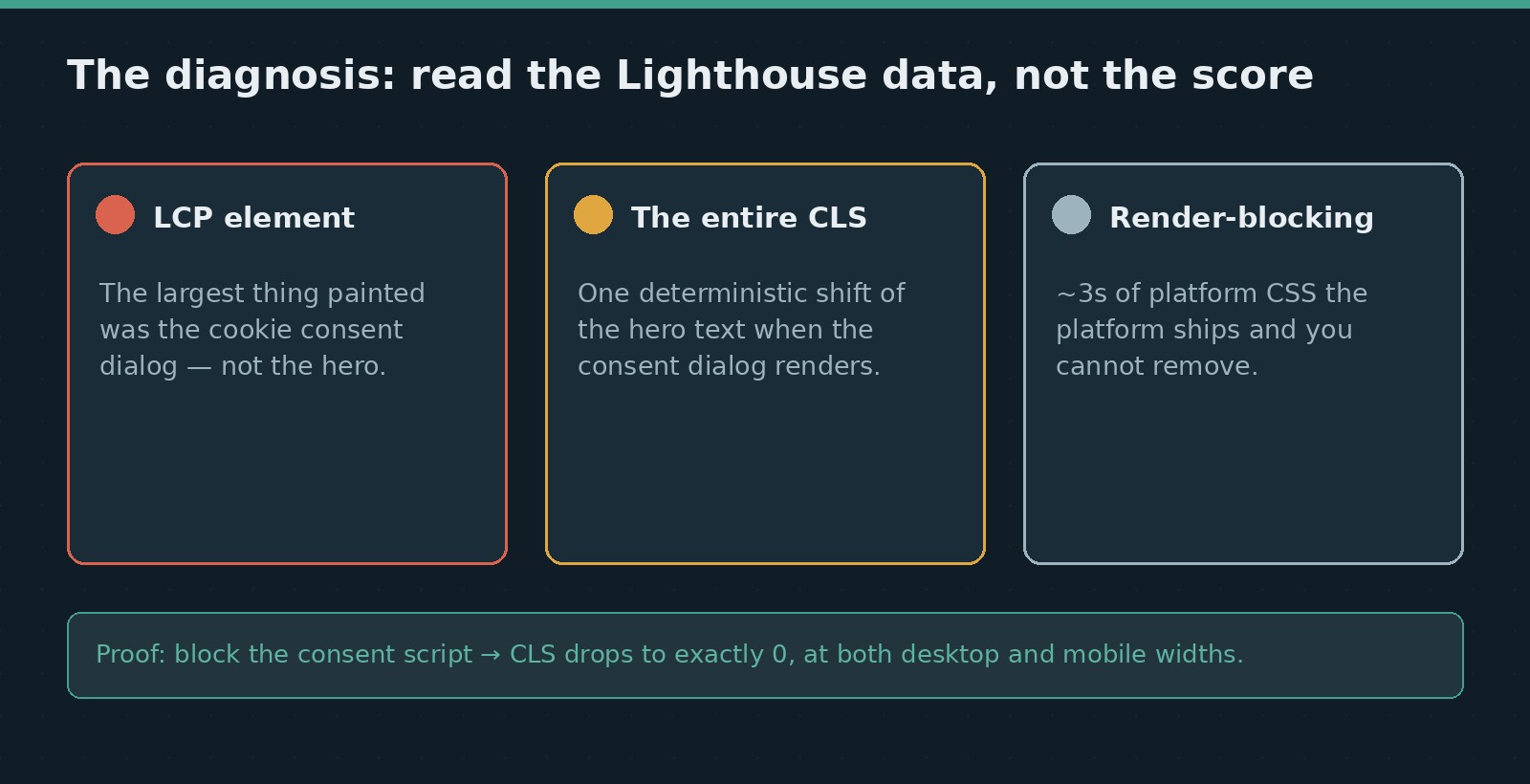
Instead of guessing, we pulled the raw Lighthouse results behind the PageSpeed report. Three findings drove everything that followed.
The LCP element was the cookie consent dialog. Not the hero image, not the headline — the consent banner’s own paragraph was the largest thing painted in the lab test. No amount of image preloading changes LCP while a consent dialog covers the mobile viewport at second eleven.
The entire CLS came from one deterministic shift. The hero text block shifted by exactly 0.357 in every single run. Font preloads did not change it. Pinning the dialog’s position did not change it. The proof came from an A/B test: loading the site with the consent script blocked produced a CLS of exactly 0, at both desktop and mobile widths. The shift only exists when the consent dialog renders.
The render-blocking budget was mostly platform. Squarespace’s own core stylesheets accounted for roughly three seconds of blocking time on a throttled mobile connection. That is not removable by any setting, plugin, or code injection — it is the price of the platform.
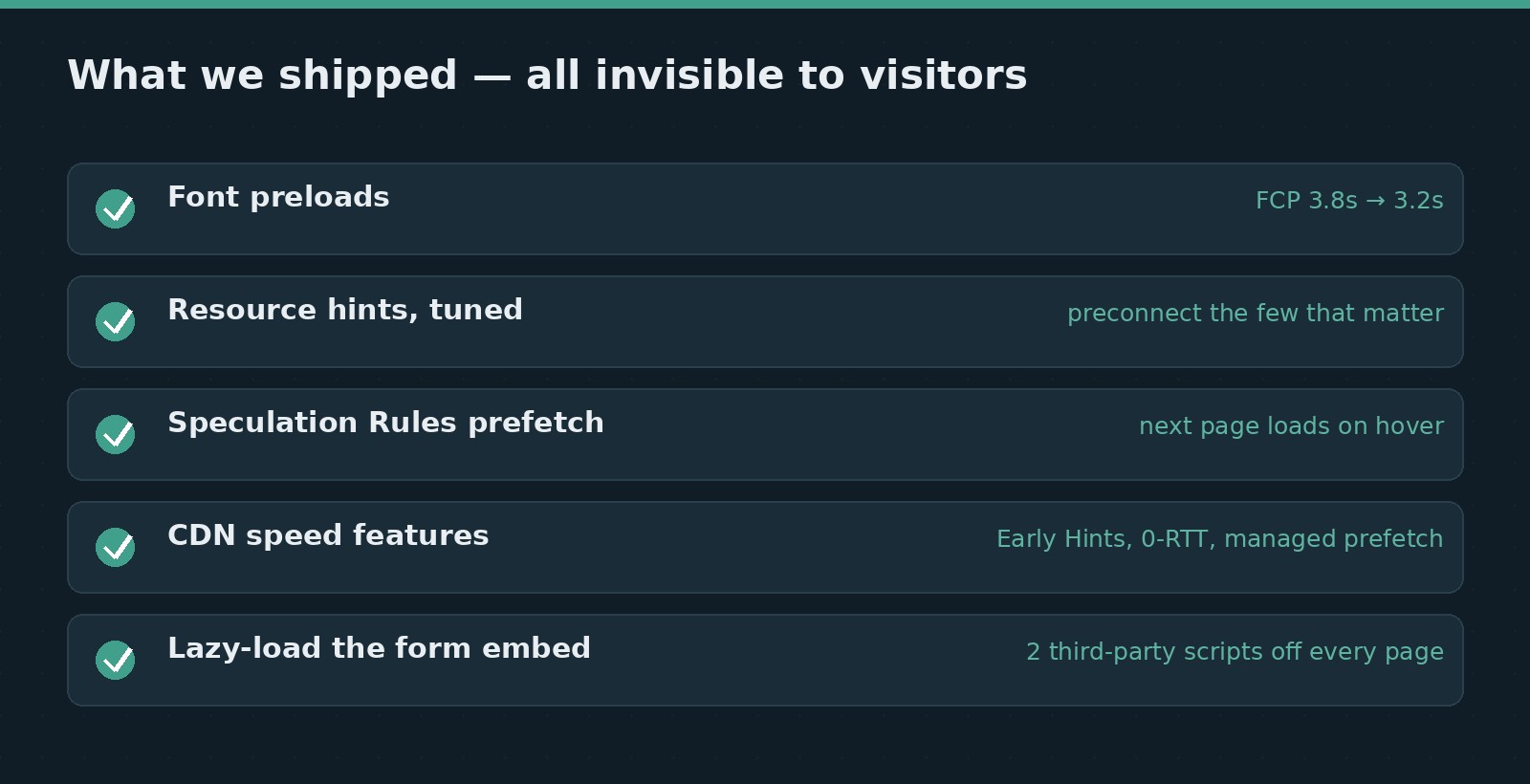
What we shipped (all invisible to visitors)
Font preloads
The site’s Google Fonts were discovered late in the load. Preloading the exact WOFF2 files used by the headline and body text cut First Contentful Paint from 3.8 s to 3.2 s and trimmed blocking time. This is the highest-value two-line fix available on most Squarespace sites.
<link rel="preload" as="font" type="font/woff2" crossorigin
      href="https://fonts.gstatic.com/s/lato/v25/your-exact-file.woff2">
<link rel="preload" as="font" type="font/woff2" crossorigin
      href="https://fonts.gstatic.com/s/roboto/v51/your-exact-file.woff2">
Use the exact WOFF2 URLs your pages already request (visible in DevTools under the font requests) so the preload and the stylesheet resolve to the same files.
Resource hints, tuned rather than sprayed
We added preconnect for the origins the page needs earliest and dns-prefetch for the rest. Lighthouse actually warns when a page carries more than four preconnects, so more is not better — each one costs connection setup work. Hint the two or three origins that matter; prefetch the rest.
Prefetching the next page
A small Speculation Rules script now prefetches internal pages the moment a visitor hovers a link. Supported browsers make the next navigation feel instant; everything else ignores the script harmlessly. Combined with edge caching of the HTML and the platform’s compression, repeat navigation is dramatically faster than the lab score suggests.
<script type="speculationrules">
{
  "prefetch": [{
    "where": {"and": [
      {"href_matches": "/*"},
      {"not": {"href_matches": "/cdn-cgi/*"}}
    ]},
    "eagerness": "moderate"
  }]
}
</script>
Edge and protocol features that were simply switched off
The site sat behind a CDN whose speed features were disabled: managed prefetching, Early Hints (the CDN tells the browser what to preconnect while the server is still generating HTML), and faster repeat-connection handling. All three are free toggles. If your site uses a CDN, audit its speed tab before touching code — our Cloudflare SEO guide walks through exactly these settings.
Lazy-loading a site-wide form embed
A newsletter form in the footer loaded a third-party form script — which itself pulled in an enterprise CAPTCHA — on the initial load of all 112 pages. We replaced the static embed with a loader that fires when the visitor scrolls toward the footer, on first interaction, or after a generous timeout as a fallback. The form looks and works exactly as before, but two third-party scripts vanished from every initial page load. Verified end to end: nothing loads up front, and the form still renders on scroll.
What moved, what didn’t, and why that’s the real story
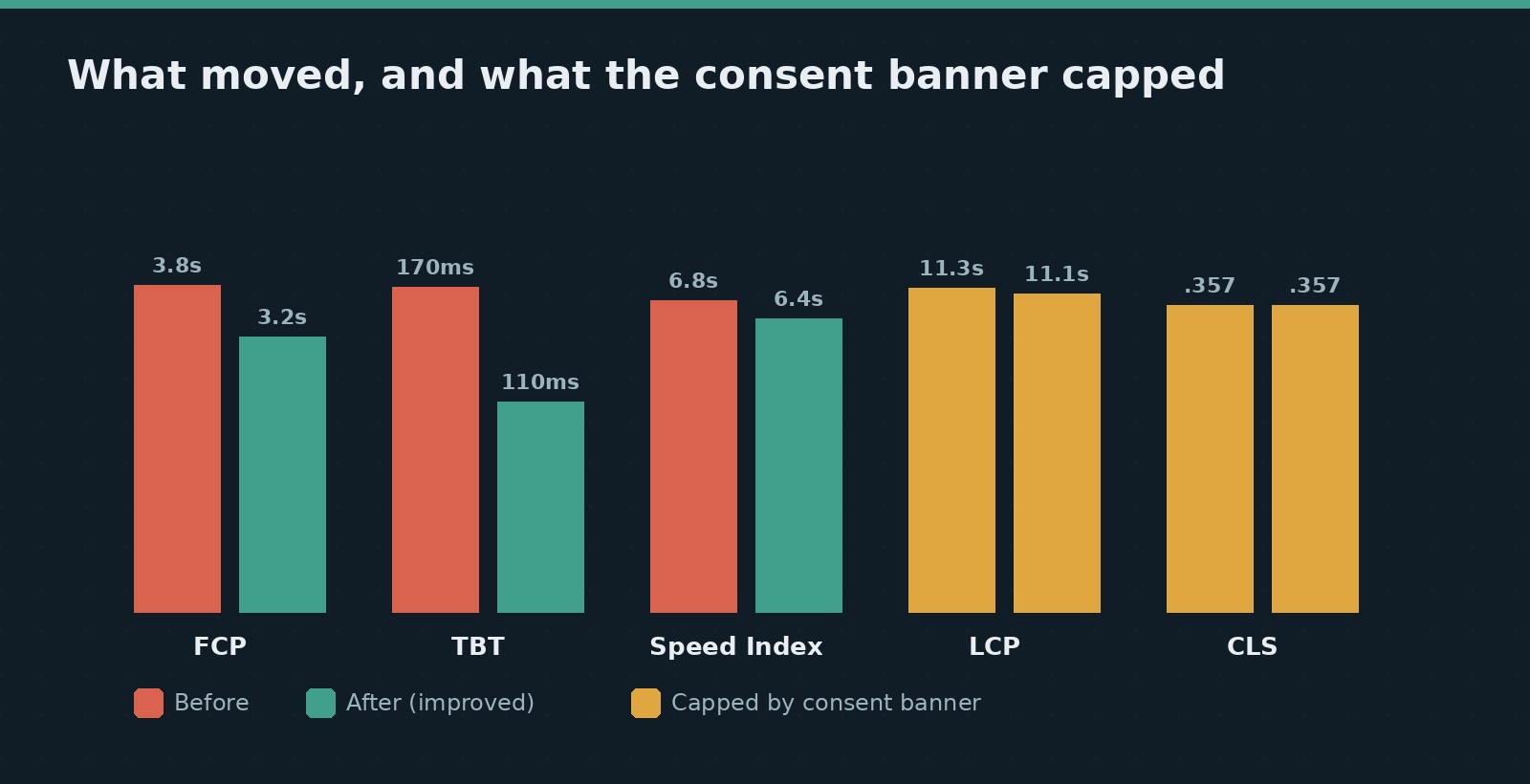
FCP, TBT, and Speed Index all improved. The score moved only from 42 to 45 — because the two heaviest metrics, LCP and CLS, both live inside the consent dialog, and the dialog is non-negotiable on a site that takes privacy compliance seriously. That is not a failure of optimization; it is a finding. The remaining levers are business decisions, not code:
First, consent banner geo-scoping — showing the banner only in regions that legally require it. Google tests from the US; a US visitor who does not need the banner would get the real hero as LCP, and our estimate puts the score in the 65–80 range. Second, consolidating duplicate analytics (the site ran two analytics platforms side by side). Third — and only if design changes ever come on the table — rebuilding a heavy footer that adds around 100 KB to every page.
What this means for your Squarespace site
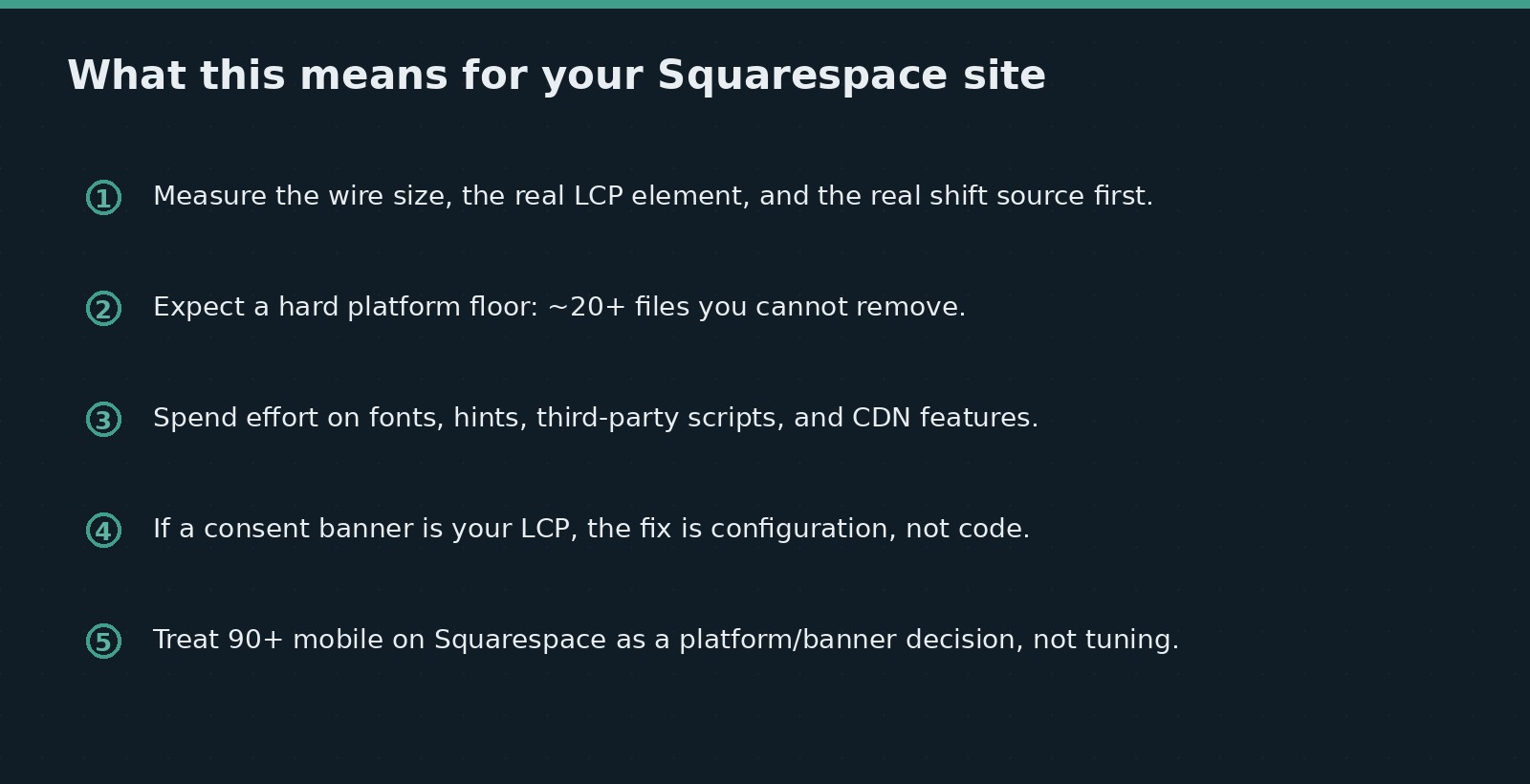
Measure before you touch anything: the real wire size, the actual LCP element, and the actual source of the shift. On Squarespace specifically — a platform with its own set of SEO constraints — expect a hard floor from platform CSS and scripts — roughly 20+ files you cannot remove — and put your energy into fonts, hints, third-party scripts, and your CDN’s free features. If a consent banner is your LCP, no image optimization will save the score; that conversation is about banner configuration, not code. And treat 90+ mobile lab scores on Squarespace as what they are: achievable mainly by changing what the platform or the banner does, not by tuning around them. If you want a second pair of eyes on your own numbers, this is exactly the kind of audit I run — see our SEO work, and the three-step SEO workflow for how I structure it.
FAQ
Why is my Squarespace mobile PageSpeed score so low?
Usually a combination of platform CSS and JavaScript that cannot be removed, late-discovered fonts, third-party scripts loading on every page, and — surprisingly often — a cookie consent dialog that becomes the largest painted element in the lab test. Diagnose the actual LCP element and shift sources before changing anything.
Can a Squarespace site reach a 90+ mobile PageSpeed score?
Rarely, and usually not through tuning alone. Squarespace ships several seconds of render-blocking platform code on throttled mobile tests. Realistic gains come from fonts, resource hints, third-party cleanup, and CDN features; past that, the score is decided by the platform and by elements like consent banners.
Do cookie consent banners hurt Core Web Vitals?
They can dominate them. In this audit the consent dialog was both the LCP element and the sole cause of a 0.357 CLS. Banner configuration — template size and regional scoping — matters more for lab scores than most code-level optimizations.
Is the PageSpeed lab score the same as what real visitors experience?
No. The lab test simulates a slow phone on a throttled connection with no cache and no consent given. This site delivered compressed pages of about 61 KB with edge caching and instant hover-prefetched navigation — a real-visitor experience far better than the score implies. When Google lacks field data for a site, the lab score is a diagnostic, not a verdict.
Leave a Reply
You must be logged in to post a comment.