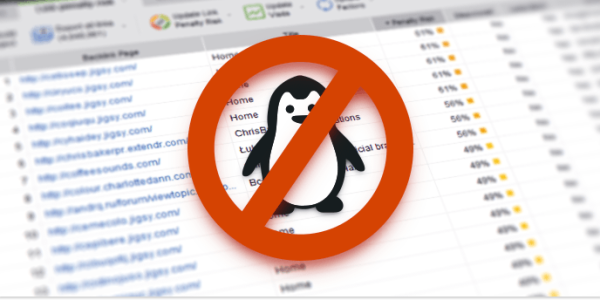
As you probably know, lots of people are trying to remove bad links after the last Google algorithm update. Especially if we talk about links from private blog networks. You may want to do it as well. Chances are, that’s because you also got a warning message from Google in your Google Webmaster Tools account. In that case you need to make your next move really fast because it’s a manual action which means an actual live human being from Google checked your site and concluded that your link profile is not A-OK. Since you need to contact a whole lot of sites and ask to remove your links, it requires tons of time. (more…)
Blog
-

New Year Marketing That Will Rock Your World
Why designs for New Year marketing? Since we still live in a physical world as well, you may want to use all sorts of festive printed materials to promote your online products or services. You can do it with the help of postcards, party flyers and stuff like that. Sure thing, you can hire a designer to create your custom graphics, but you can also do it by a long shot easier. Thing is, you can check totally awesome pre-made designs, select the one that strikes a cord and just have it modified (or do it on your own) to meet your needs. It works either way because you’ll need just basic Photoshop editing skills. As the saying goes, a picture is worth a thousand words. (more…)
-

Christmas SEO and Designs You Need for it
Christmas is almost around the corner and it’s high time to think about what you can do in terms Christmas SEO to drive more traffic to your site. You can actually check what people tend to search for in this season. That done, you should create relevant content in order to obtain natural rankings in Google, Bing, etc. Other than that, you may also want to launch products or services that make sense for the festive season that is coming. You’ll need attractive landing pages, newsletter designs or even complete site designs (WordPress templates) for that. The good news is that this post is going to help you with your Christmas SEO. (more…)
-

Facebook WordPress Plugin: Open Graph in WordPress SEO
Use WordPress SEO by Yoast, but never had the chance to dive in the Facebook Open Graph feature that it offers? Luckily, you can just read the post and you’ll become a Facebook WordPress plugin guru. Well, at least when it comes to that feature in the WordPress SEO by Yoast plugin specifically 🙂 You may be really admired by the plethora of SEO and not exactly SEO features the plugin allows to make use of. Nonetheless, it’s still pretty easy and straightforward. So without further ado, you’re about to learn how to make your Facebook snippets look really sweet. (more…)
-

How to Monitor Backlinks with LinkAssistant
Though social networking factors are gradually gaining popularity in the world of SEO, links are still primal in keyword rankings. You just MUST monitor backlinks! You don’t want your links to get lost or get modified without your approval or even being in the know. This post explains how to keep track of your inbound links (external links to your site) with the help of LinkAssistant. If you lose a link on a reputable site, you can pretty drastically lose both rankings and traffic. So, in case you ignore monitoring your links on a regular basis, you may see a traffic drop without being able to explain why exactly it happened. (more…)
-

Installing Best SEO Plugins Service Launched
You know that WordPress is a great CMS for SEO and the best SEO plugins can drastically help you with ranking higher in search engines. The brutal reality is, you still need to install all the plugins. What’s more, they also don’t just get configured properly out of the box because every site is different and the default configuration that the plugin author offers you may just not work for your WordPress site. Plus, plugins may also fail to get along with the newest version of WordPress. So, you also need to keep track of that. The good news is, you can just have all the WordPress SEO plugins installed and properly configured without you moving a finger. (more…)
-

Guest Blog Posting Service Launched
If you’re not sure how to do SEO for your site after the last Google update, you may need to consider guest blog posting. It goes without saying, you don’t want the kind of guest posts that you can order on Fiverr.com or a similar site. Though you may be tempted by the fact that they are dime a dozen, you don’t really want to associate your site with that sort of content quality. There’s no way that someone in their right mind would create a quality guest post for just $5. Sure thing, it can be decent money in some countries, but the problem is people don’t speak English as their native language in such countries. As the saying goes, you get what you pay for. (more…)
-

Protecting Your Site from a DoS Attack
Online businesses put hours of hard work into maintaining websites. Building an e-commerce site is a significant undertaking that needs protection against hackers. A Denial of Service, or DoS, attack can cripple an e-commerce website, causing revenue losses that a small business may not be able to absorb. A DoS attack occurs when hackers flood a website with a plethora of requests, often through the use of a botnet, or network of malware-infected computers. Overwhelmed by the massive amount of incoming traffic, the website grinds to a halt, making it impossible to access. A Denial of Service attack can bring a website down for a week or longer.
-

Search Engine Correlation Data as of 2013
I want to offer you a really interesting chart from Moz.com that gives amazing insights on the correlation data in today’s SEO. Though the items in the chart are not exactly ranking factors, they do have some connection and are common among sites that rank high in search results. As Edward Tufte puts it,”Correlation is not causation but it sure is a hint.” And that’s exactly how you need to use the data from the chart. For instance, you’ll find out that there’s a pretty obvious connection between Google rankings and the number of Google+1’s of a particular page. At the same time, Google reps are saying that they are not using this factor in their algo. (more…)
-

WordPress Performance Stats in Google Webmaster Tools
Once you set up your WordPress blog and it’s up and running, you need to keep track of your WordPress performance in terms of traffic and other SEO related issues. There are lots of free and paid SEO tools out there, but they just can’t beat Google Webmaster Tools because it’s run by Google and it’s free. Plus, you need a Google Webmaster Tools account anyway coz you should specify certain settings for your site, such as your preferred domain, location, etc. The bottom line is that it’s just irreplaceable. In order to start using the tool, you need to login to your Google account and then set up your Google Webmaster Tools account. (more…)
-

How to Remove Date in WordPress
Got a hunch that the date of your post can turn away people from your totally amazing content that you created back in the day? You’re goddamn right! That’s why you need to remove date both from your WordPress posts and pages. This post tackles two ways of removing date from your WordPress content. One is for those folks who like to wrap their heads around all sorts of coding stuff. The other is for those of you who’d rather use a WordPress plugin that just does the trick. Fasten your belts and let’s get the party started! (more…)
-

Google Analytics WordPress Tips
Here’s why I decided to write these Google Analytics WordPress tips. Thing is, WordPress when used as a stand-alone solution does not have a built-in feature that allows you to monitor all sorts of data that may be useful in terms of SEO. If you just need basic daily traffic stats, you may just need to install the JetPack plugin and activate its WordPress.com Stats option. In case you need more in-depth info and for any time span, you definitely should consider using Google Analytics for that. So, what you need to do is create a Google Analytics account and verify your site so that you can use all the stats that the service offers. (more…)
-
Yoast SEO WordPress: Installing and Basic Setup

The WordPress SEO by Yoast plugin allows you to manage most SEO aspects of your WordPress site, such as Google Analytics and Bing Webmaster integration, streamlining the process of creating content on your site, social integration (Facebook OpenGraph, Twitter, Google+), XML sitemap, RSS, import & export, just to name a few. By now, you may even be under the impression that it’s the only plugin you need for your SEO needs. Unfortunately, it’s not the case and you do need to install and configure other SEO plugins for your WordPress site. That said, the plugin DOES cover most of your on-page SEO needs. (more…)
-
Why SEOs Should Use Boomerang for Gmail

Are you usually reluctant to manage your emails because it’s so overwhelming that you’d rather have somebody shoot you in the face? Well, it does NOT have to be that way. Thing is, you can install the Boomerang gmail add-on that allows you to handle your email like a boss. You’ll never have to constantly use your Google Calendar over and over again. For starters, it’s not exactly convenient for email reminders. And secondly, there’s a better way to do that. Before we go any further, I godda tell you one thing. It’s not a free add-on, but it’s totally worth it if you have to wade through your email inbox day in and day out. (more…)
-
What is the Difference Between Off Page SEO and On Page SEO

What the heck is the difference between on-page and off-page SEO? Thing is, it’s kinda easy to see the difference because on-page SEO is basically what you do on your own site to improve rankings whereas off-page SEO is what you do on other sites to improve your search engine rankings. This post tackles the issue of basic and in-depth on-page SEO. You’ll get to know what WordPress plugins, software and on-line services you may want to use. Other than that, you’ll get a general idea of what off-page SEO is. Plus you’ll learn what off-page SEO methods work nowadays. Now let’s take a closer look at each of them. (more…)